


Welcome to our Hogwarts Legacy Hints and Tips guide, especially for the Nintendo Switch.
Hogwarts Legacy is an open-world RPG set 100 years before Harry Potter is born. I reviewed the game and gave it a score of I like it a lot; you can find the review here.
Hogwarts Legacy has a lot to offer, with heaps of side quests, all sorts of collectables, and plenty of puzzles along the way. For this guide, I’ll be detailing some hints and tips to help you on your quest to solve the mysteries of Hogwarts Legacy.
Hogwarts Legacy Hints and Tips Guide

Character Creation
At the beginning of Hogwarts Legacy, you get to create a character.
Firstly, when using the character creator, you’ll notice that you have a set of presets to pick from, allowing you to get started on your character with a rough idea of how they will look. For example, things like gender, skin colour, looks, hair settings such as length or colour, etc.
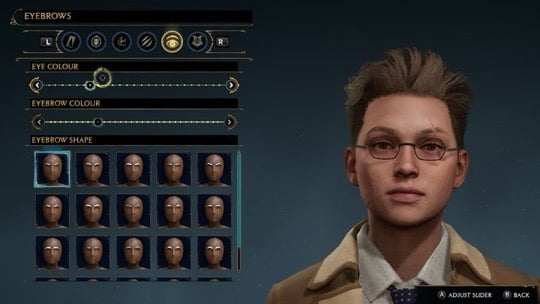
There are about fifteen facial selections to choose from here, and then you can select the colour of their skin using the slider, allowing you to edit exactly how you want to define your character further.
After that, it’s time to choose your hairstyle. There is a decent number of hairstyle options to choose from. You’ll find short and long hairstyles with wavy or curly hair and more. You can also adjust your character’s complexion and add freckles or scars. You can also add scars or markings if you wish.
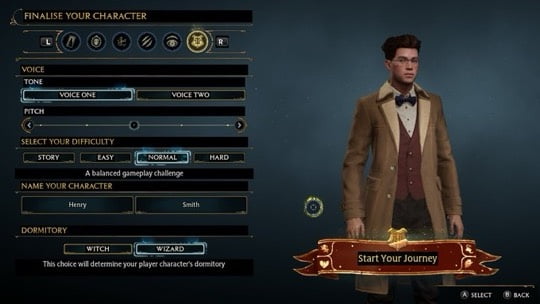
Next, we have eye and eyebrow colours. You can adjust what colour you want these to be in addition to the shape of the eyebrows. Then, you can choose a voice for your character. There are only a few voice options, but you can adjust the pitch of it to make it higher or lower. And finally, you pick a game difficulty and your character’s first and last name.
Choosing a House
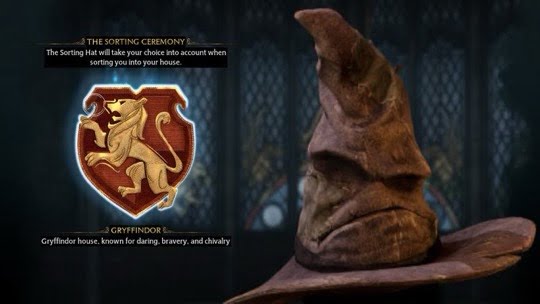
You attend school at Hogwarts with your self-created character and can choose which of the four houses you want to join: Gryffindor, Ravenclaw, Hufflepuff and Slytherin.
Depending on the house the sorting hat gives you, you will get slightly different objectives during early quests and some slightly different dialogues at other points. However, the main quests are identical except for one exclusive house quest.
Furthermore, your chosen house does not affect the side quests or collectables, and the outcome of the story and quest order will all be the same. Additionally, once the main storyline is finished, you can still free-roam and return to all places that contain collectables or side quests. Therefore, nothing is missable.
Field Guide Pages

Your Field Guide is a very useful book to have. It tracks your current challenge progress. New challenges will be discovered as you advance quests and explore the world of Hogwarts Legacy. On your travels around Hogwarts and the surrounding areas, watch for Field Guide pages and collect them to catch up with the rest of your schoolmates.
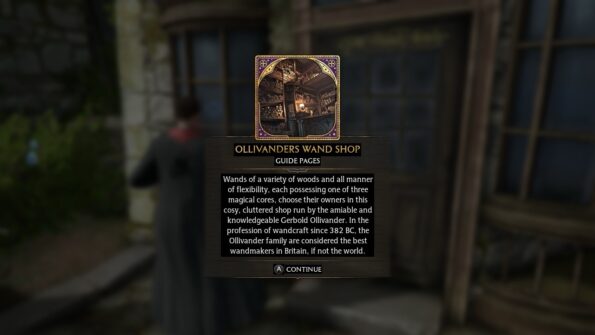
These pages are found all throughout Hogwarts Legacy; they provide experience to increase your character’s level. Use Revelio frequently to reveal hidden pages and other things like treasure chests and earn XP faster.
Special rewards will unlock as you progress through Field Guide Challenges. Visit the Challenges Menu to review your challenge progress and collect tier rewards that you have unlocked.
Getting Around Hogwarts with Map and Floo Flames
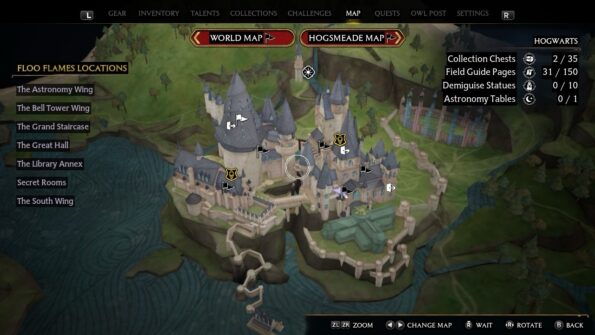
There are three maps in Hogwarts Legacy; as you’d expect, Hogwarts School is full of twisting corridors, towers, and mysteries to solve. The other maps are for Hogsmeade village and the area outside the castle and village.
Look for Floo Flames on the path to your objective. Consider using Fast Travel if they are unlocked, or use it as an opportunity to pick up Fast Travel points for later. You can open the map anytime to Fast Travel to any discovered Floo flames. As you explore, you will remove fog and reveal more of the Map, unveiling new opportunities like Hamlets, Dungeons, and Bandit camps.
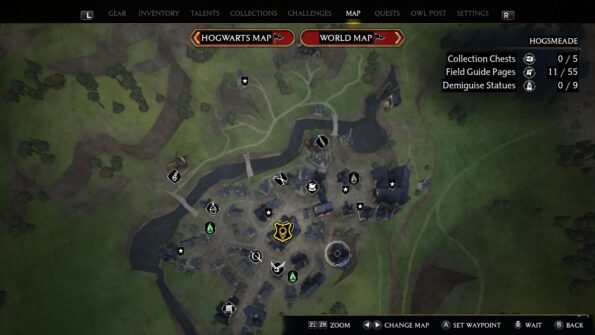
Open the Map with the – button, and you can select the flag of the area you wish to look at. Then, the screen zooms in for a more detailed look at the map, allowing you to select individual floo flames. Pressing the B button will exit from any map. Move between maps either by clicking on the World Map icon at the top or using L and R on the D-pad.
Green Floo Flames = represent flames you have discovered, including your house common room.
Grey Floo Flames = reveal the location of undiscovered flames.
The Charmed Compass lets you mark a spot on the Map you want to visit. The route to the next quest is always visible on the minimap. Pressing up on the D-pad also reveals directions on the screen through a yellow trail. Use the compass to reach a mission objective or an unexplored room quickly. The compass also works outside the castle, even when you’re on a broomstick or a mounted magical creature.
Chests
There are many chests to find in Hogwarts and the surrounding area. From regular chests that don’t require any keys or spells to open to chests that require your character to be a certain level to open and chests with one eye that moves and locks if you approach it.
Chests with one large eye can be found quite regularly while exploring the game’s main locations in Hogwarts and Hogsmeade. Accessing eye-chests is slightly more challenging. They are worth the effort, though, as they contain 500 gold each. However, once an eye-chest notices your presence, it blocks access to the chest.
In addition to their distinguishing moving eye, the chest can move and hop around while making loud noises. Even without casting Revelio, you can see an Eye chest moving around. So, you must be invisible to access eye chests, so move away from the chest somewhere it can’t see you nearby and use the Disillusionment spell and creep up to the chest without being seen.
Quests
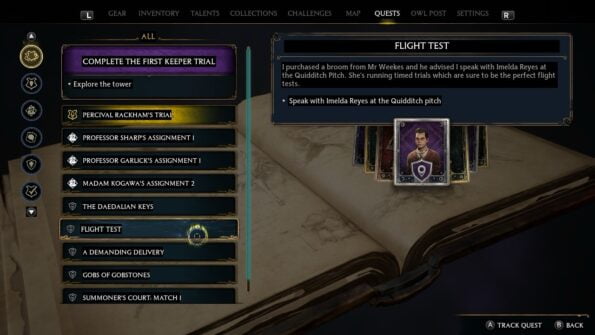
Quests in Hogwarts Legacy are the various missions players can acquire and embark on throughout the game. Furthermore, quests are usually unlocked through the main campaign, during events, or given by certain NPCs. Completing a quest also grants various rewards that can help you throughout your journey, such as earning experience to level up, obtaining better gear or getting a unique ability.
In Hogwarts Legacy, there are:
Main Quests: Completing Main Quests will further the story, unlock new features, and grant XP.
Side Quests: Side Quests are not required to complete the game but will yield interesting rewards and nourish the lore and experience. You can accept or refuse to complete side quests without directly impacting the game’s main storyline. Also, you can go back and complete side-quests after the main mission is done, so don’t feel like you have to rush to tick everything off as each quest comes up.
Assignments: Assignments are given by Professors in Hogwarts, and when completed, you are rewarded with a new Spell.
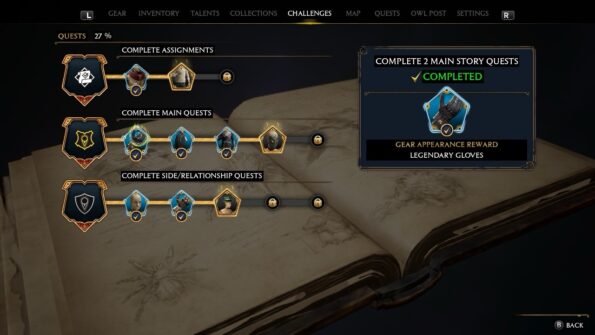
Relationship Quests: Relationship quests are how you get to know the characters in the game by chatting to NPCs. To complete Relationship Quests, you must talk to the NPC, solve a puzzle, and make decisions on behalf of the NPCs that will affect the storyline’s outcome. Doing so, you will receive a reward such as useful items, experience points, and other rewards.
Quests may have level or tool requirements to activate them. Check the Quest Log by pressing + or check your current task by pressing up on the D-pad to quickly remind you of the current quest. You can track assignments and their progress in the Quests Menu of your Field Guide.
Magic Spells
In Hogwarts Legacy, there are a total of 34 spells. However, you can only place 26 Spells in the Spell Set. The Spell Set has a maximum of 16 slots, so you must pick and choose which spells you want the most. Some essential spells don’t take up a slot in your Spell Set, but they’re necessary to explore and progress through Hogwarts Legacy.
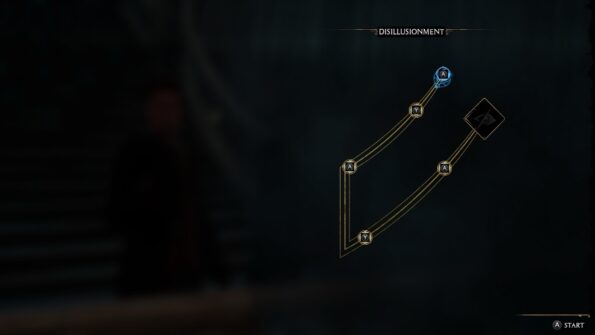
To learn a new spell, you must move your ward with the L stick and glide it along the symbol path to learn the spell. Then, press the corresponding button as prompted by the icons and accelerate the wand motion along the line until the end. Nice job, that’s that spell learned.
To equip a new Spell Set or swap a spell with a different spell if you have too many spells for the 16 slots. To do so, press and hold ZR and R on the D-pad to bring up the Spell Menu. Highlight the new spell you want to add to the Spell Set, press and hold ZR, and then the corresponding button you want to tie that spell to.
Some Enemies are Vulnerable to Certain Spells
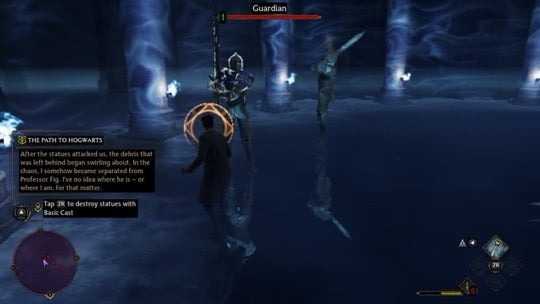
In Hogwarts Legacy, some enemies are vulnerable to certain spells and techniques in your arsenal. If you loom in the Collections Menu, you can discover enemy weaknesses.
You can press the R stick to use the target lock on an enemy during combat. Target Lock also lets you track enemies without aiming. You can move the R stick left or right to change targets while locked on.
Additionally, you can aim by pressing the ZL button, allowing for more precision spell targeting and revealing additional spell targets. Pressing the X button will protect you from incoming blockable attacks by putting a shield around your character. Furthermore, holding the X Button allows your character to follow up with the Stupefy spell to counter-attack as the Stupefy spell temporarily stuns certain opponents and breaks Shield Charms.
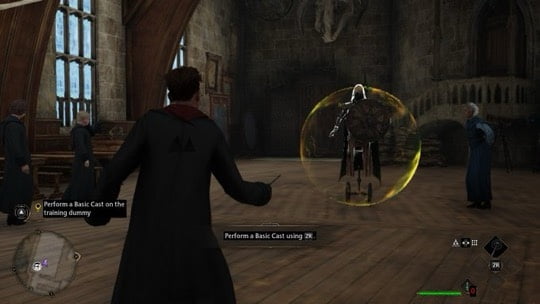
Certain enemies have a shield protecting them from dying in combat, and you must break the shield to be able to attack. The shields come in different colours and require different spells to break the shield.
Violet Shields: Breakthrough violet shields using Charm, Accio, and Summoning.
Yellow Shields: Use the Levitation spell, Levioso, on violet shields.
Red Shields: Use Incendio, the Fire-Making spell, against red shields.
Spell Tips
Disillusionment: Use this spell to avoid being detected in off-limit areas. Basic Cast: Use basic cast while undetected to lure authority figures and enemies to a desired location. It is especially handy for avoiding teachers while being invisible.
The Summoning Charm, Accio, pulls a target closer to the caster. Hold ZR and press the assigned button to cast Accio, pull a target closer, and release ZR to cease casting the spell.
I recommended that you learn as many spells as possible. Additionally, you will need all the spells to discover all types of secrets to solve every puzzle in Hogwarts Legacy.
Ancient Magic
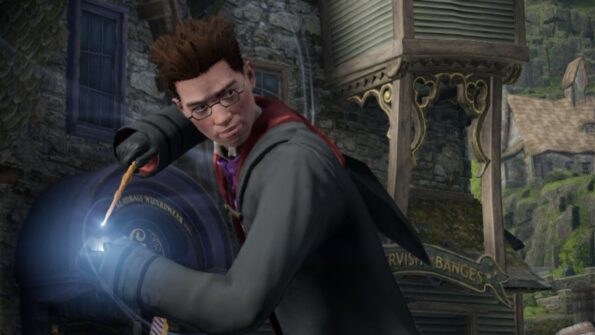
Your character has the gift of Ancient Magic during combat; the meter in the bottom right of the screen fills when you successfully attack an enemy or take damage.
This is considered a combo if you successfully land ten hits on an enemy. Combos generate Ancient Magic Powerups once the enemy is killed, and collecting these drops will greatly fill your Ancient Magic Meter and help you recover a small amount of health.
One segment of the meter must be full to use your Ancient Magic. Then, when you see the prompt above the enemy’s head, tap the L and R shoulder buttons.
Gear, Upgrades and Traits
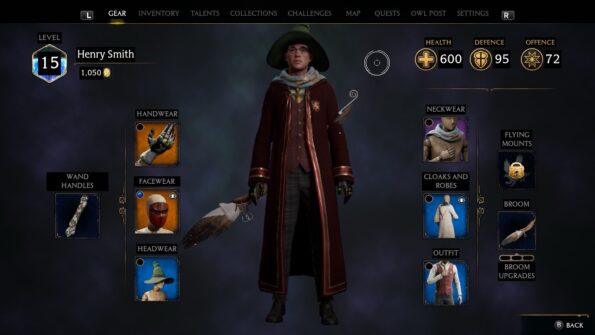
Gear in Hogwarts Legacy is the clothing your character is equipped with, and they can wear different gear, granting different bonuses.
Equipping the right gear can mean the difference between life and death in Hogwarts Legacy, especially on higher difficulties. With that in mind, it is important to consider a piece’s rarity, stats, and traits before deciding whether or not to keep it.
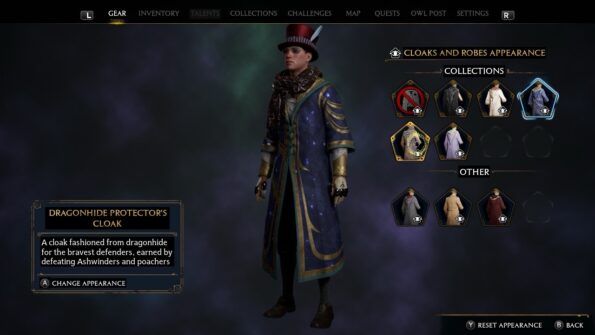
Furthermore, you can upgrade your gear after you’ve completed a quest called The Elf, the Nab-Sack, and the Loom. This quest is part of the main story so you won’t miss it. Clothing gear has a level and can only be equipped if the player’s character is the same level or higher. Additionally, the appearance of any gear in Hogwarts Legacy can be altered in the Gear Menu to look like any other basic gear you have looted or unique appearances you have collected.
Defence and Offence Gear
In the Gear Menu, your characters’ defence and offence are displayed at the top right of the screen. By default, all gear features one primary offence or defence stat. Furthermore, clothing has a rarity, which reflects the item’s Trait Slot level, whether the item can be upgraded, its sell value, and its possible stat.
The characters’ gear comes in four rarities. The higher the rarity, the greater your character’s overall offence and defence stats boost.
Well-Appointed Gear = Green
Green gear is common around Hogwarts; you will find green gear the most often in chests and such. Green gear cannot be upgraded with any traits.
Superb Gear = Blue
Blue gear is found fairly frequently. These pieces have decent stats, especially for the early game. They can be upgraded, but only level one Traits can be equipped.
Extraordinary Gear = Purple
Purple gear boasts great stats that should carry you through most of the game. They can be upgraded and equipped with either level one or two Traits.
Legendary Gear = Gold
Gold is the rarest of the gear. These pieces provide the greatest stat buffs in the game and will elevate any witch or wizard to legendary status. They cost the most to upgrade, but the results are well worth the investment, and they can be equipped with level one, two and three Traits.
There is also a Standard Gear, which is Grey. However, these normal, non-magical pieces offer no offensive or defensive value or monetary value and should be destroyed immediately to make space for better gear.
Improve Gear
Unlock the ability to improve gear via an Enchanted Loom. Once this has been unlocked, you need to place the Loom in the Room of Requirement, interact with it, and select the desired piece of gear to start enhancing. You are granted two options: Upgrade or Add Traits.
Traits require magical materials to craft, specifically Puffskein fur. Luckily, these can be picked up while exploring the open world or interacting with Vivarium beasts.
To acquire new Traits, you will have to find recipes. Recipes can be unlocked through completing Challenges or easily found in Bandit Camps.
Change the Appearance of Gear
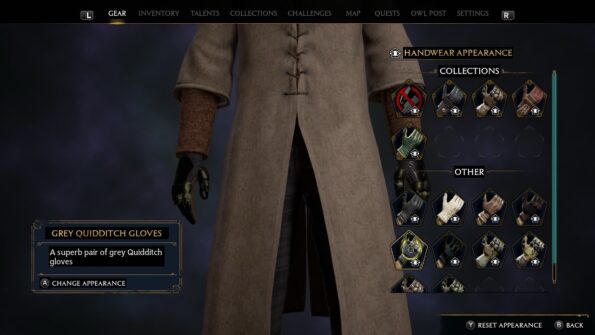
Hogwarts Legacy allows you to change the appearance of gear. To do this, equip the desired gear with the best stats or the most useful Traits while hovering over the newly equipped item.
You can select their preferred gear appearance from this new tab from two sections: Collections or Other. The “Collections” are exclusive to this menu, with unique styles that can be unlocked for completing in-game challenges.
The “Other” tab is where you will find the looks and styles of every previously obtained piece of gear. Picking up a new gear item automatically adds its look to the Other tab, and this look will remain unlocked even if the player chooses to destroy or sell the original piece.

hey
cool blog 🙂 will give it a follow and a like !